Exercise 1 - Form Validation
The idea of this exercise is to introduce how to perform basic form validation in an incremental fashion. The process has been broken down into steps, you'll tutor will demo straight the solution to each step after the allotted time. If you're not in the lesson the entire solution will be available in next weeks notes.
1 Set up folder structure and blank files (~3 mins)
Having an organised file structure is vitally important. Luckily, it's also very easy to achieve
Within a new folder create the following project structure:
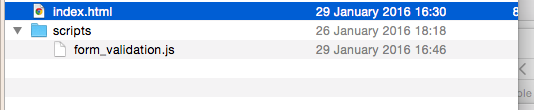
2 Create a form (~5 mins)
Within index.html create a new form with the following <input type="text" fields:
| field name |
|---|
| name |
| age |
| location |
| phone_number |
| address_line_1 |
| post_code |
For the sake of this example let's assume all the fields are required. Beneath each input place a <p> element containing the error message to be displayed if the above input is not filled in.
Note each <p> element should have a unique id attribute e.g.
<p id="errorName" style="display:none"> Required </p>
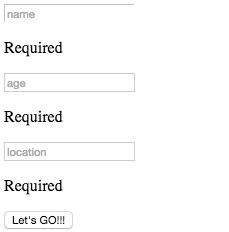
3 Create the <body> onload() event (~3 mins)
1) Within the <head> of your index.html page include your javaScript file.
2) Add a onload attribute within your html file's <body> tag that calls the main() function within your javaScript file.
3) Create a main() function in your javaScript file and to test it's being called when you html file loads add console.log("in main function") in your main() function.
If all is good you should see "in main function" within the console tab in developer tools:
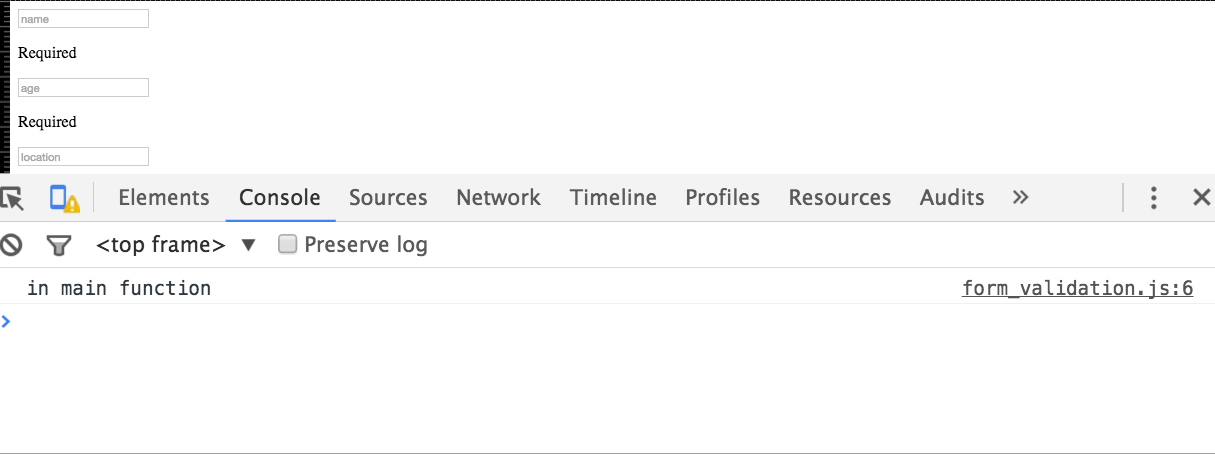
4 Add a submit event to your form (~5 mins)
Add a submit event to your form that calls a function called function validateForm(event). Within the function validateForm add the two lines:
console.log("validating from");
event.preventDefault(event);
Press the submit button and check that validate form is printed to the console.
5 Validate the Form On Submit (~20 mins)
Ok, we're nearly there, we just need to actually validate the form when it is submitted. The logic to perform this will be placed in the validate_form function. Below is the pseudo code. Pseudo code is a informal language that allows us to design functionality of our programs. Note,
you need to understand the pseudo code and write the equivalent javaScript
    function validate_form

        Initialise form_valid to true
        if name empty
            set form_valid to false
            display name error
            prevent form from submitting
        else
           set form form_valid to true
           hide name error

       if location empty
            set form_valid to false
            display location error
            prevent form from submitting
        else
            set form form_valid to true
            hide location error

       ... continue pattern for all other fields ...
Implement the above functionality using javaScript.
7 Optional Advanced
Research javaScript regular expressions and see if you can also check for a valid phone number and email.